为自定义形态加入换色功能
为了让你的自定义形态支持颜色配置功能,你需要制作一张colormask贴图,并在assets/orif-defaults/furs/example_namespace.form_example.json模型配置文件中进行注册
创建colormask贴图
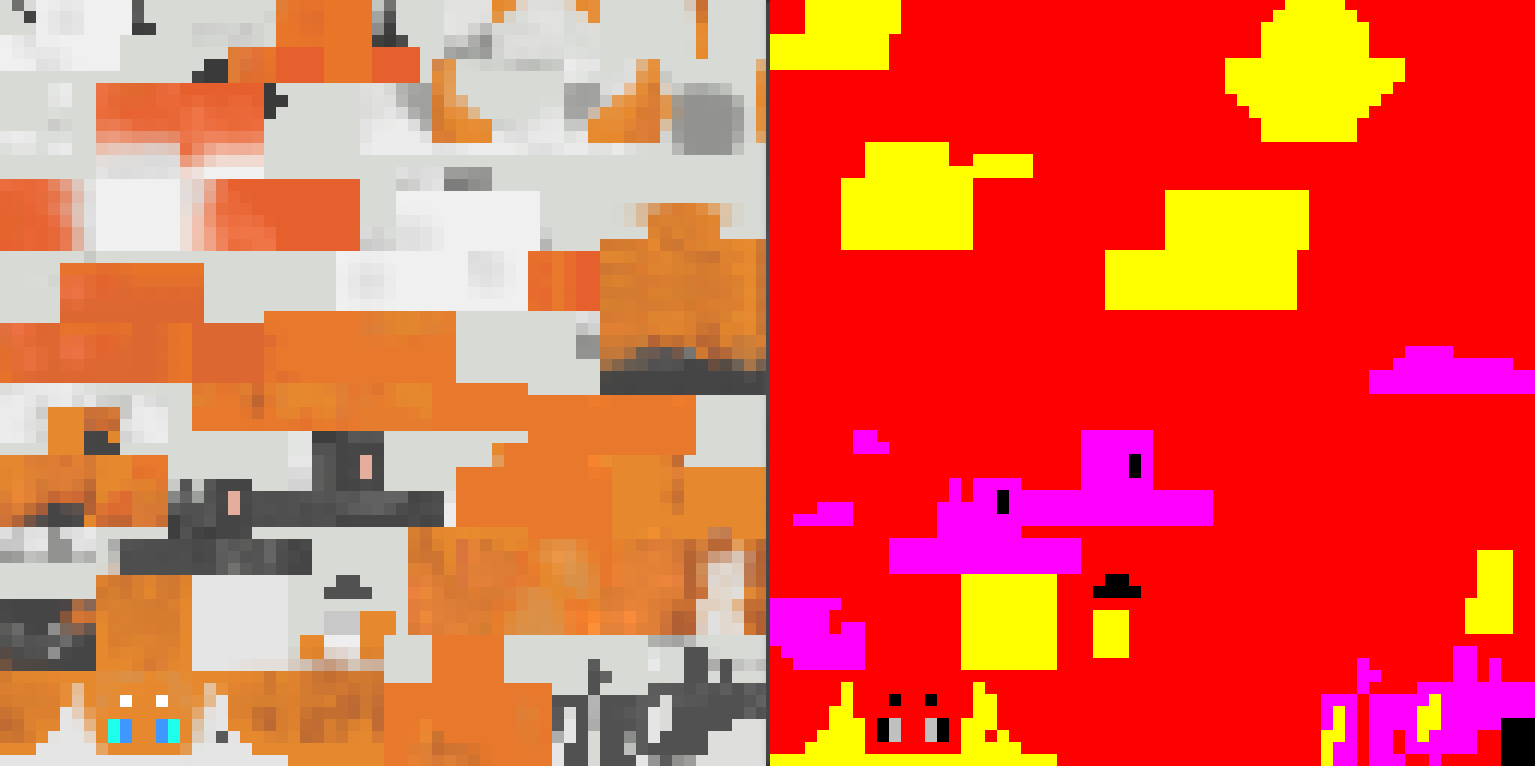
colormask贴图以你的形态贴图为基础创建而来。它使用颜色通道标记各个自定义颜色配置的生效区域:
| 通道 | R | G | B | A(value = 0) | A(value = 1) |
|---|---|---|---|---|---|
| 对应区域 | 主要色 | 强调色1 | 强调色2 | 眼睛颜色1 | 眼睛颜色2 |
在颜色配置生效时,颜色的写入顺序为主要色->强调色1->强调色2->眼睛颜色,后者会覆盖前者
模组会在创建自定义颜色临时贴图时自动混合原有纹理。colormask只做区域标注使用,保持纯色即可
注册OriginFur模型配置文件
在colormask完成后,你还需要对其进行注册
{
  "model": "orif-defaults:geo/form_allay_sp.geo.json",
  "texture": "orif-defaults:textures/form_allay_sp/form_allay_sp.png",
  "texture_mask": "orif-defaults:textures/form_allay_sp/form_allay_sp_colormask.png",
  "overlay": "orif-defaults:textures/form_allay_sp/form_allay_sp_overlay.png",
  "overlay_mask": "orif-defaults:textures/form_allay_sp/form_allay_sp_overlay_colormask.png",
  "hidden": [
    "leftLeg",
    "rightLeg",
    "rightPants",
    "leftPants",
    "body",
    "jacket"
  ],
  "tail_chain": {
    "tail_l": [0],
    "tail_r": [0]
  },
  "wing_chain_l": {
    "wing_l": [0, 1]
  },
  "wing_chain_r": {
    "wing_r": [0, 1]
  },
  "tail_chain_head": {
    "head_tail_l": [0, 1],
    "head_tail_r": [0, 1]
  }
}
根据你的贴图类型,在texture_mask,overlay_mask或fullbrightTexture_mask字段注册你的colormask贴图路径
如此一来,换色功能应能在你的自定义形态中生效